Payments
You get paid
before you stitch.
The quote, the payment, and the order live together. Your customer gets one clean page with one total, pays right on it, and the order moves to the stitching queue — without you ever having to ask for the money.
The Free plan costs nothing until your first sale, and signing up does not ask for a credit card. The Free plan covers 15 orders a month, however your customers pay.

How the money moves
Getting paid in three steps.
- 1
You build the quote on the order
Price the job with your own numbers — blanks, stitching, extras. Broidry turns it into a clean page and gives you a link to text to your customer.
- 2
Your customer opens the link and pays
They see one total, never your cost math. They pay by card through Stripe or through your own Square account, or by the Venmo, PayPal, cash, or check you already take.
- 3
The paid order moves to the stitching queue
Nothing goes on the machine until the money is in — paid in full, or the deposit you chose. You never have to bring it up.
Setting this up is part of opening your shop, and the Free plan costs nothing until your first sale. Open your shop.
On every order
Paid is a status you can see, not a thing you remember.
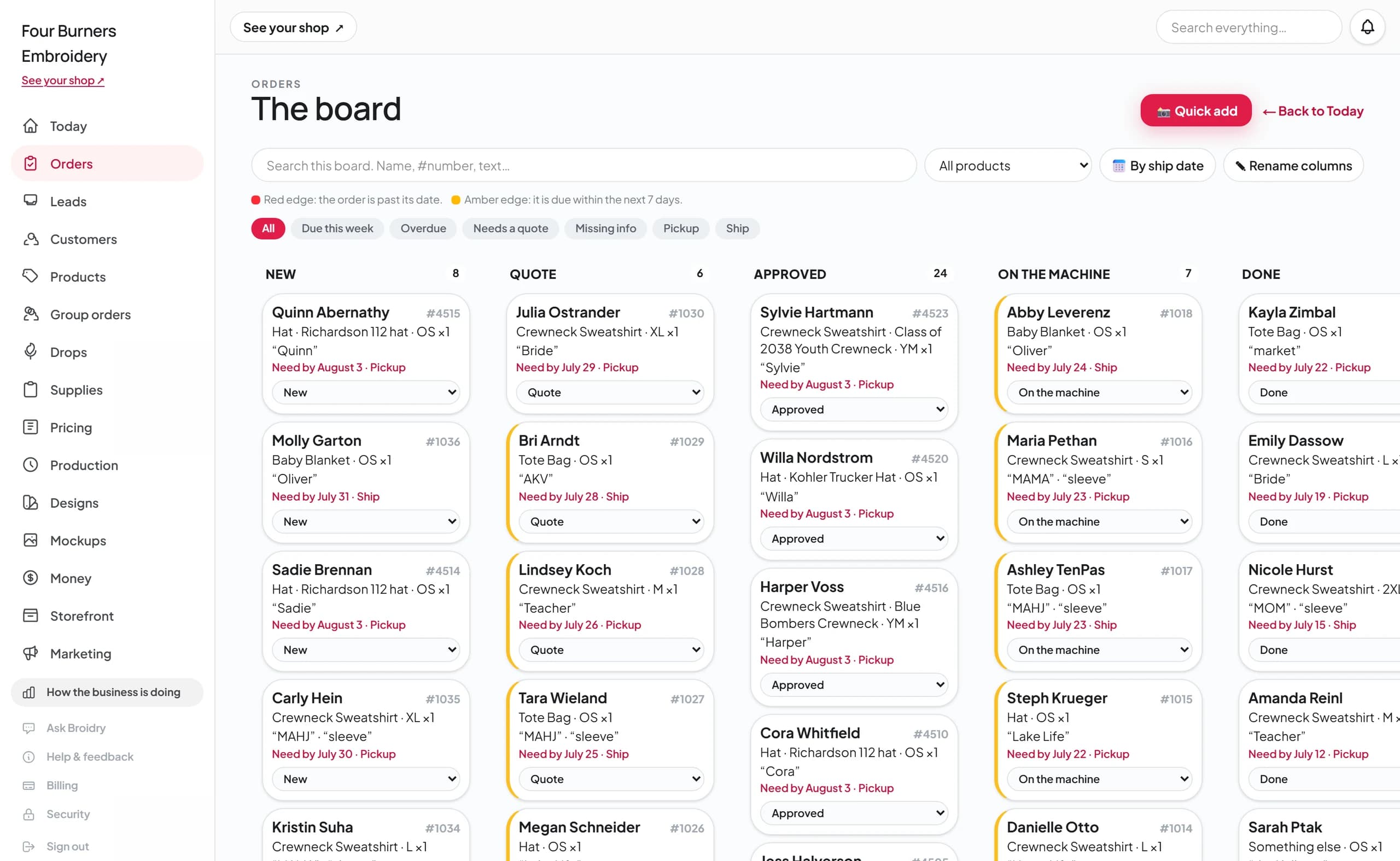
Every order on your board shows whether it's been paid, because the payment is attached to the order — not sitting in a Venmo feed you have to cross-check against a notebook.
- Card payments record themselves. Card checkout, through Stripe or through your own Square account, marks the order paid and emails the buyer a receipt on its own.
- Venmo, PayPal, cash, and checks count too. Record the payment on the order and it's the same paid status — no shop is forced onto card payments.
- Deposits stay attached. On a big job, a paid deposit starts the stitching and the balance owed stays on the same order until it's settled.

The Money page
Tax time becomes one click, not one weekend.
The Money page builds itself from your orders: what you collected this month, what customers still owe, your expenses, and a profit estimate that counts your materials. Nothing is entered twice, so it can't drift out of date.
When your accountant asks for the year, one click exports it as a spreadsheet. That's the whole job.
Real shops, real dates
How long until you're actually paid?
48 shops opened on Broidry recently and have already collected their first payment. Here are their dates, read straight from their own order records.
One shop's first week
- Opened their shop
- Sep 24
- First listing up
- Sep 24
- First order in
- Sep 24
- First payment
- Sep 24
Signup to paid
same day
One shop's first week
- Opened their shop
- Sep 30
- First listing up
- Sep 30
- First order in
- Sep 30
- First payment
- Sep 30
Signup to paid
same day
One shop's first week
- Opened their shop
- Sep 2
- First listing up
- Sep 2
- First order in
- Sep 3
- First payment
- Sep 3
Signup to paid
1 day
One shop's first week
- Opened their shop
- Aug 14
- First listing up
- Aug 14
- First order in
- Aug 14
- First payment
- Aug 16
Signup to paid
2 days
One shop's first week
- Opened their shop
- Aug 23
- First listing up
- Aug 23
- First order in
- Aug 25
- First payment
- Aug 25
Signup to paid
2 days
One shop's first week
- Opened their shop
- Sep 16
- First listing up
- Sep 16
- First order in
- Sep 18
- First payment
- Sep 18
Signup to paid
2 days
One shop's first week
- Opened their shop
- Sep 19
- First listing up
- Sep 20
- First order in
- Sep 21
- First payment
- Sep 21
Signup to paid
2 days
One shop's first week
- Opened their shop
- Sep 22
- First listing up
- Sep 22
- First order in
- Sep 24
- First payment
- Sep 24
Signup to paid
2 days
One shop's first week
- Opened their shop
- Oct 14
- First listing up
- Oct 14
- First order in
- Oct 16
- First payment
- Oct 16
Signup to paid
2 days
One shop's first week
- Opened their shop
- Aug 6
- First listing up
- Aug 6
- First order in
- Aug 7
- First payment
- Aug 9
Signup to paid
3 days
One shop's first week
- Opened their shop
- Sep 12
- First listing up
- Sep 12
- First order in
- Sep 12
- First payment
- Sep 15
Signup to paid
3 days
One shop's first week
- Opened their shop
- Sep 14
- First listing up
- Sep 16
- First order in
- Sep 17
- First payment
- Sep 17
Signup to paid
3 days
One shop's first week
- Opened their shop
- Oct 4
- First listing up
- Oct 6
- First order in
- Oct 7
- First payment
- Oct 7
Signup to paid
3 days
One shop's first week
- Opened their shop
- Oct 20
- First listing up
- Oct 21
- First order in
- Oct 23
- First payment
- Oct 23
Signup to paid
3 days
One shop's first week
- Opened their shop
- Aug 13
- First listing up
- Aug 13
- First order in
- Aug 17
- First payment
- Aug 17
Signup to paid
4 days
One shop's first week
- Opened their shop
- Aug 15
- First listing up
- Aug 15
- First order in
- Aug 17
- First payment
- Aug 19
Signup to paid
4 days
One shop's first week
- Opened their shop
- Sep 27
- First listing up
- Sep 27
- First order in
- Sep 27
- First payment
- Oct 1
Signup to paid
4 days
One shop's first week
- Opened their shop
- Oct 22
- First listing up
- Oct 22
- First order in
- Oct 26
- First payment
- Oct 26
Signup to paid
4 days
One shop's first week
- Opened their shop
- Aug 29
- First listing up
- Aug 29
- First order in
- Aug 31
- First payment
- Sep 3
Signup to paid
5 days
One shop's first week
- Opened their shop
- Oct 1
- First listing up
- Oct 5
- First order in
- Oct 6
- First payment
- Oct 6
Signup to paid
5 days
One shop's first week
- Opened their shop
- Sep 21
- First listing up
- Sep 21
- First order in
- Sep 27
- First payment
- Sep 27
Signup to paid
6 days
One shop's first week
- Opened their shop
- Aug 2
- First listing up
- Aug 2
- First order in
- Aug 9
- First payment
- Aug 9
Signup to paid
7 days
One shop's first week
- Opened their shop
- Aug 22
- First listing up
- Aug 22
- First order in
- Sep 1
- First payment
- Sep 1
Signup to paid
10 days
One shop's first week
- Opened their shop
- Sep 12
- First listing up
- Sep 12
- First order in
- Sep 17
- First payment
- Sep 22
Signup to paid
10 days
One shop's first week
- Opened their shop
- Sep 29
- First listing up
- Oct 6
- First order in
- Oct 9
- First payment
- Oct 9
Signup to paid
10 days
One shop's first week
- Opened their shop
- Oct 10
- First listing up
- Oct 10
- First order in
- Oct 22
- First payment
- Oct 22
Signup to paid
12 days
One shop's first week
- Opened their shop
- Sep 20
- First listing up
- Sep 21
- First order in
- Oct 2
- First payment
- Oct 3
Signup to paid
13 days
One shop's first week
- Opened their shop
- Oct 7
- First listing up
- Oct 7
- First order in
- Oct 20
- First payment
- Oct 20
Signup to paid
13 days
One shop's first week
- Opened their shop
- Aug 15
- First listing up
- Aug 19
- First order in
- Aug 29
- First payment
- Aug 29
Signup to paid
14 days
One shop's first week
- Opened their shop
- Sep 1
- First listing up
- Sep 2
- First order in
- Sep 11
- First payment
- Sep 15
Signup to paid
14 days
One shop's first week
- Opened their shop
- Aug 11
- First listing up
- Aug 12
- First order in
- Aug 19
- First payment
- Aug 26
Signup to paid
15 days
One shop's first week
- Opened their shop
- Aug 26
- First listing up
- Aug 27
- First order in
- Sep 10
- First payment
- Sep 10
Signup to paid
15 days
One shop's first week
- Opened their shop
- Sep 3
- First listing up
- Sep 9
- First order in
- Sep 11
- First payment
- Sep 18
Signup to paid
15 days
One shop's first week
- Opened their shop
- Sep 29
- First listing up
- Oct 7
- First order in
- Oct 10
- First payment
- Oct 15
Signup to paid
16 days
One shop's first week
- Opened their shop
- Aug 20
- First listing up
- Aug 31
- First order in
- Sep 2
- First payment
- Sep 8
Signup to paid
19 days
One shop's first week
- Opened their shop
- Sep 18
- First listing up
- Sep 18
- First order in
- Sep 28
- First payment
- Oct 8
Signup to paid
20 days
One shop's first week
- Opened their shop
- Aug 16
- First listing up
- Aug 16
- First order in
- Aug 29
- First payment
- Sep 8
Signup to paid
23 days
One shop's first week
- Opened their shop
- Aug 14
- First listing up
- Aug 14
- First order in
- Aug 26
- First payment
- Sep 7
Signup to paid
24 days
One shop's first week
- Opened their shop
- Sep 14
- First listing up
- Sep 14
- First order in
- Sep 27
- First payment
- Oct 8
Signup to paid
24 days
One shop's first week
- Opened their shop
- Sep 1
- First listing up
- Sep 2
- First order in
- Oct 2
- First payment
- Oct 2
Signup to paid
31 days
One shop's first week
- Opened their shop
- Sep 18
- First listing up
- Sep 23
- First order in
- Oct 21
- First payment
- Oct 21
Signup to paid
33 days
One shop's first week
- Opened their shop
- Aug 5
- First listing up
- Aug 15
- First order in
- Aug 26
- First payment
- Sep 11
Signup to paid
37 days
One shop's first week
- Opened their shop
- Aug 21
- First listing up
- Aug 21
- First order in
- Sep 21
- First payment
- Sep 29
Signup to paid
39 days
One shop's first week
- Opened their shop
- Sep 2
- First listing up
- Sep 11
- First order in
- Oct 3
- First payment
- Oct 12
Signup to paid
40 days
One shop's first week
- Opened their shop
- Aug 6
- First listing up
- Aug 6
- First order in
- Sep 20
- First payment
- Sep 20
Signup to paid
45 days
One shop's first week
- Opened their shop
- Aug 26
- First listing up
- Aug 26
- First order in
- Aug 26
- First payment
- Oct 12
Signup to paid
47 days
One shop's first week
- Opened their shop
- Aug 5
- First listing up
- Aug 5
- First order in
- Sep 29
- First payment
- Oct 5
Signup to paid
61 days
One shop's first week
- Opened their shop
- Aug 7
- First order in
- Aug 12
- First payment
- Oct 24
Signup to paid
78 days
The Free plan costs nothing until your first sale, and signing up does not ask for a credit card. The Free plan covers 15 orders a month, however your customers pay.
Get paid before the stitching starts.
Open your shop, set your prices, and send your first quote today. The Free plan costs nothing until your first sale, and signing up does not ask for a credit card.