Production, pricing, and money
Your holiday cutoff, checked against your real queue
3 minute read
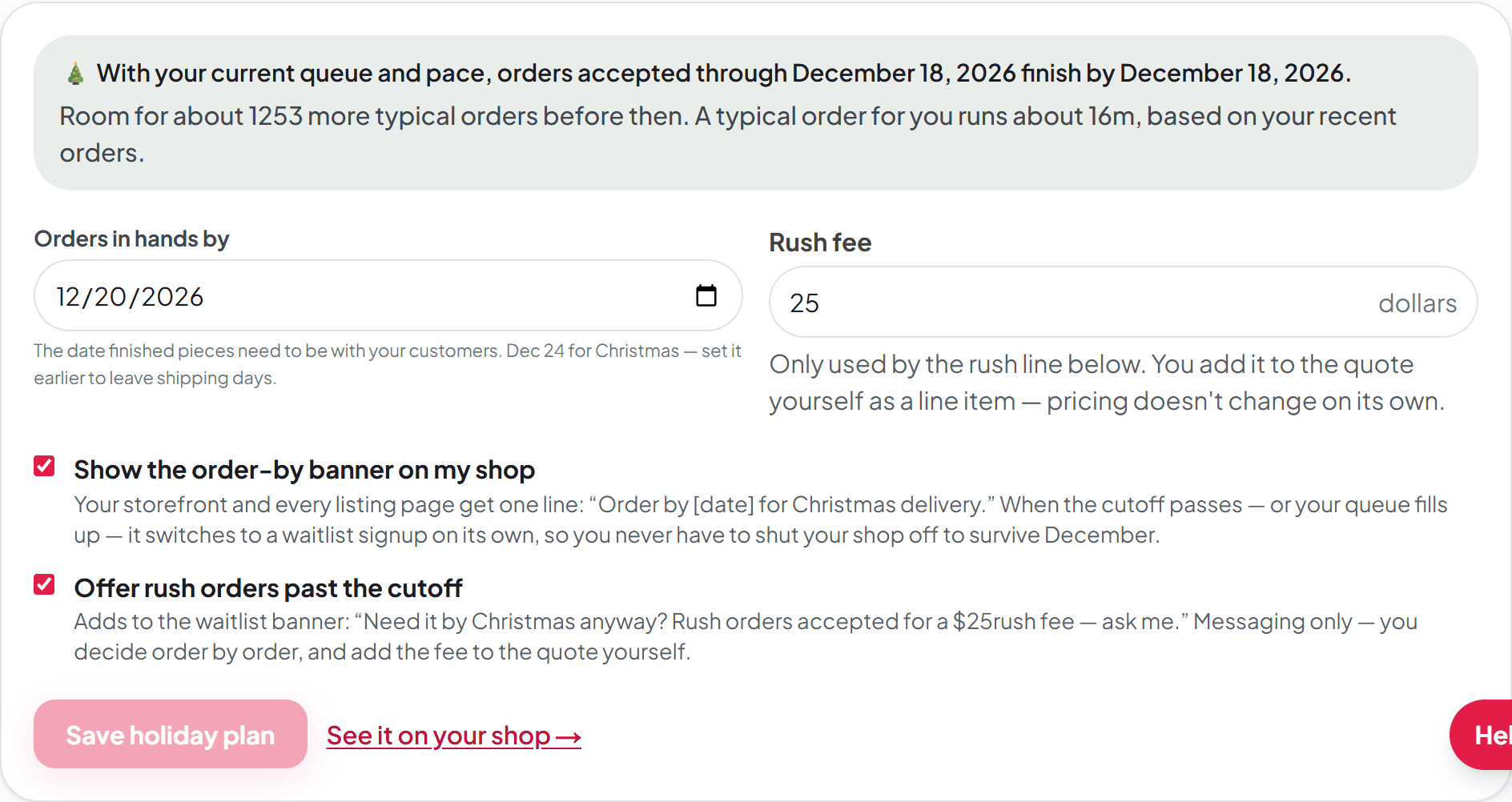
You already know roughly when you need to stop taking Christmas orders — the hard part is noticing the moment your queue makes that date a lie. The Holiday planner works the way you do: you pick your last order day, and Broidry checks it against the orders actually in your queue, your machine's pace, and your working hours. The box at the top of the tab says either that your date holds, or that it stopped holding and what date would.
You will find it on the Production page, on the tab called Holiday planner. From October 1, your dashboard also asks for your last Christmas order day once. Saving it there writes the same setting, so the two always match.
Set it up once
- 1On the Production page, open Machine & time settings and save your stitch speed and working hours. The queue check runs on them, and so does the early switch to the waitlist when your queue fills up. The line on your shop only needs your date.
- 2On the Holiday planner tab, set Last day you'll take orders. This is your promise and it never moves unless you move it.
- 3Set Orders delivered by — the date finished pieces need to be with your customers. December 24 for Christmas, earlier if you ship.
- 4Turn on Show “Order by [date]” on my shop. Your storefront and every listing page get one line: Order by [your date] for Christmas delivery.
- 5If you want, turn on Take rush orders after the cutoff. A rush fee box appears under it — set your fee there. That adds a line to the waitlist banner saying rush orders are accepted for a rush fee — it is messaging only, and you decide order by order and add the fee to the quote yourself.
When your date stops holding
Orders come in, the queue grows, and one day the math changes: an order taken on your chosen date would no longer finish in time. The verdict box turns amber, tells you the latest date that still works, and offers to move your last order day there with one click. Your banner never moves on its own — the only automatic change is the safety valve below.
When your last order day passes — or your queue fills up completely before it — the banner switches to a waitlist signup on its own. You never have to shut your shop off to survive December: latecomers leave their name instead of an order you can't finish, and each signup goes onto your Leads page so January starts with a list of people who already want something.