Production, pricing, and money
When you get paid, and where the money goes
3 minute read
When a customer pays by card on your shop, that money is on its way to your own bank account. Here is the route it takes, why the very first payment takes longer than the rest, and where you can watch it move.
First, the currency you charge in
Before you connect card payments, open Money and look at the card called The currency you charge in. It offers US dollars or Canadian dollars, and those two are the only currencies Broidry charges in. There is no euro and no pound: Stripe opens your payout account in the United States or Canada to match the currency you pick, so a shop outside those two countries cannot take card payments through Broidry at all. You can still run the rest of your shop here and take money your own way, by Venmo, PayPal, cash or a check, but your prices show in US or Canadian dollars either way. The numbers on your products do not move — this decides what those numbers mean. Pick Canadian dollars and your shop page says CAD next to every price and your customers' cards are charged in Canadian dollars.
Do this one first, and this is the reason: Stripe opens your payout account in the country that goes with the currency you pick, and Stripe will not move an account to another country later. Connect first and you can end up with an account in the wrong country that you cannot fix from your side.
If you have already connected and you are in the wrong country, it is not lost — send a note from the Help page and we move it for you. Changing the currency after Stripe is set up still changes what your customers are charged; your payouts keep landing in the same bank account, in the same country, as before.
Where the money goes
Card payments run through Stripe, or through your own Square account if you connected Square and turned card payments on there (see the guide called Square sales show up on your board automatically). With Stripe, you connected a Stripe account of your own and told it which bank account to pay into, and that is where the money from every card order goes. With Square, the money goes into your Square balance and Square pays it out on the same schedule as your other Square sales. The account is opened in the country that matches the currency your shop charges in. Broidry never pays you by hand and never decides when you get your money — Stripe moves it to your bank on its own schedule.
Your shop is the seller of record, so your shop's name is what your customer sees on their card statement. An unfamiliar name on a statement is the most common reason a customer disputes a charge they actually made.
Why your first payout is slow
Your first payout is the slow one, and that is normal. Stripe holds the first payout for roughly 7 to 14 days after your first sale. Every new account goes through this wait, no matter who the platform is. It is not a sign that something is wrong with your account, your bank details, or your sale.
After that first one clears, payouts settle into a regular rhythm and money reaches your bank far faster.
Where to see your money
- 1Open the Money tab in your dashboard. It shows what you have collected, what is still owed to you, and your profit estimate — that is what your orders are worth.
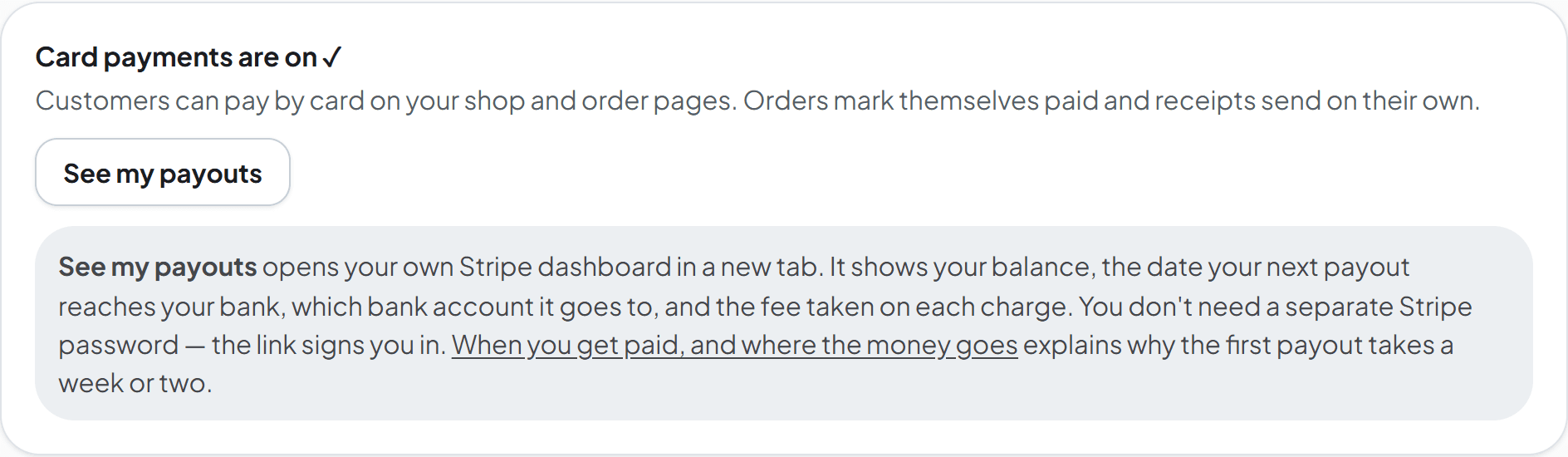
- 2On that same page, find the card payments card and click See my payouts. It opens your own Stripe dashboard in a new tab, and you do not need a separate Stripe password — the link signs you in.
- 3Stripe is where you see the cash itself: your current balance, the exact date your next payout reaches your bank, which bank account it shows up in, and the fee taken on each charge.
The fees that come out
Two things can come out of a card sale. The first is the processor's own fee for handling the card: through Stripe that runs about 2.9 percent plus 30 cents on most cards, and through your own Square account it is Square's usual online rate, the one you already pay on your other Square sales; each company's pricing page is the authority on its number, not us. The second is Broidry's fee, which depends on your plan and is zero on some of them.
Your exact Broidry fee is shown on your Billing page in plain numbers, and the guide called Plans, fees, and the AI photo allowance explains what each plan charges. Both fees are recorded as expenses automatically, so the profit estimate on your Money tab has already accounted for them.