Orders and customers
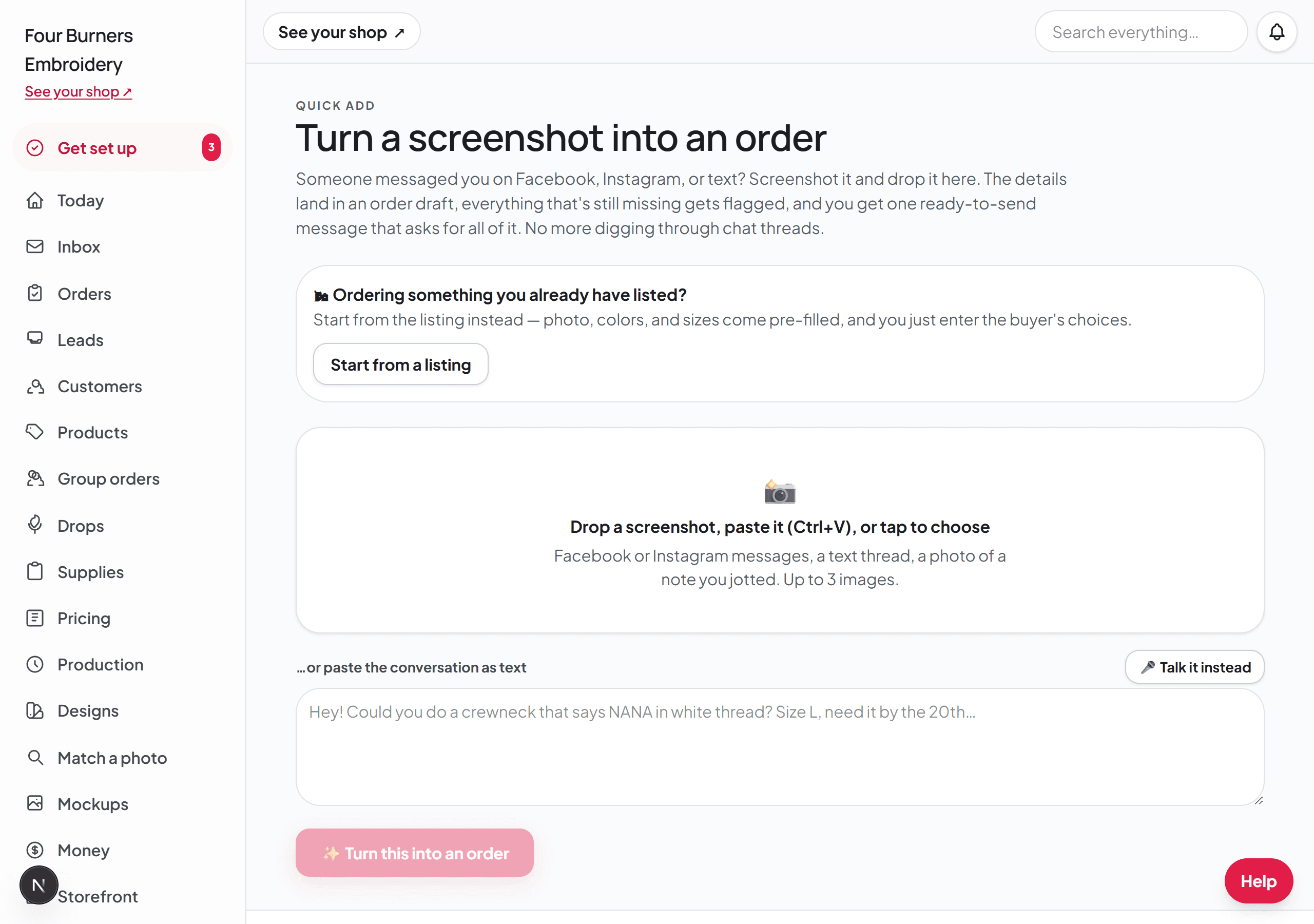
Turn a pasted message into an order
3 minute read
Most custom orders start as a messy conversation: a screenshot, a voice-note transcript, or six texts in a row. Instead of retyping all of it, paste it into Broidry and let it do the reading.
- 1Open the Orders page and press "+ Add an order". Drop the screenshots in the box at the top, or paste the conversation as text under it. On a phone, the + button in the middle of the bottom bar takes you to the same place — it is the fastest path when the conversation is sitting right there in another app.
- 2Broidry pulls out who it is from, what they want, the sizes, the wording, and the deadline, and shows you everything it found.
- 3Anything the customer never said shows up as a still-need chip. That list is exactly what to ask in your next message, all at once.
- 4Check the Color box before you create the order. The dropdown only holds the colors you stock, so when a customer names one that is not on your shelf — a brand's own color, hot pink, one orange and one white — it goes in the text box underneath instead, in their words. Type or fix it there and it saves onto the order, and the color stops being something Broidry asks them for.
- 5When the details are complete, click Turn into order. The order shows up on your Orders page with the conversation screenshots saved on it, so the customer's own words are always one click away.
When there is nothing to paste
Plenty of orders never arrive as a message at all. Someone calls you, or catches you at a market, or tells you what they want while they are standing in your kitchen. There is no screenshot to hand over.
On the same page, under the big button, choose "Nothing to paste? Fill the order in yourself." That opens the identical order form completely empty, and you type in what you know. Only the customer's name is required — everything else can be filled in later on the order itself.
Start typing a name you have sold to before and pick it from the list. The "Contact (phone / email / handle)" box fills in from their last order. It only fills an empty box, so a number you already typed stays.
An order typed in this way does not come with a price estimate or a ready-made reply, because there was no conversation to read. Open the order after you create it and use Build quote there to price it.